Home/Custom dashboards

Custom dashboards for small business in Maryland, your whole operation on one screen.

A custom dashboard is one screen with the few numbers that run your business, built on your own live data by a developer in Easton, MD: leads, jobs booked, missed calls recovered, Google reviews, ad return, what needs a reply. Set up for you, a flat small-business price, no seats, no contract. Below: the command center we build for an owner, then eight screens we built and run, from a sales floor on the Eastern Shore to a family budget.

Every source on one screen, counted once.

Command centerA heating and air company, Talbot CountySample business · illustrative numbers
Live · synced 1 min ago
Google Analytics 4Visits, pages, conversions2 min
Search ConsoleSearches, clicks, position1 h
Business ProfileReviews, rating, replies12 min
GoHighLevel CRMLeads, pipeline, notes1 min
Phone lineCalls, missed, texts backlive
Website formsTwo rails, every leadlive
CalendarBooked jobs, two-way4 min
Seen on Google 5,31021,48058,900 ▲ 9%▲ 18%▲ 31%vs prior period Search Console
Visits 3011,2123,388 ▲ 7%▲ 15%▲ 27%vs prior period Google Analytics 4
Leads 1558161 ▲ 15%▲ 26%▲ 44%vs prior period CRM · phone · forms
Booked jobs 93698 ▲ 13%▲ 29%▲ 51%vs prior period Calendar
Calls won back 3 of 49 of 1126 of 33 ▲ 15%▲ 26%▲ 44%vs prior period Phone line · missed, texted
New reviews 4 · 4.9★14 · 4.9★37 · 4.9★ ▲ 33%▲ 40%▲ 68%vs prior period Business Profile
From a Google search to a booked jobEach step read from the system that owns it
Seen on GoogleSearch Console5,310
↓ 3.5%
Clicked throughSearch Console188
↓ 94%
Visits from GoogleGoogle Analytics 4176
↓ 5.7%
Leads from GoogleCRM, matched by phone10
↓ 60%
Booked jobsCalendar6
Seen on GoogleSearch Console21,480
↓ 3.4%
Clicked throughSearch Console734
↓ 94%
Visits from GoogleGoogle Analytics 4691
↓ 5.5%
Leads from GoogleCRM, matched by phone38
↓ 63%
Booked jobsCalendar24
Seen on GoogleSearch Console58,900
↓ 3.2%
Clicked throughSearch Console1,902
↓ 94%
Visits from GoogleGoogle Analytics 41,788
↓ 5.9%
Leads from GoogleCRM, matched by phone105
↓ 61%
Booked jobsCalendar64
Where the leads came fromJoined by phone and email: a caller who later books counts once
Google Maps6
Google search4
Facebook2
Referral2
Direct and other1
6 calls answered3 missed, won back by text4 forms2 texts
Google Maps21
Google search17
Facebook8
Referral7
Direct and other5
24 calls answered9 missed, won back by text17 forms8 texts
Google Maps57
Google search48
Facebook22
Referral20
Direct and other14
67 calls answered26 missed, won back by text45 forms23 texts
When customers reach youCalls and texts by hour, last 28 days
FewerMore
Busiest Tue to Thu, 10 AM to 1 PMQuietest SundayStaff it lunch hour, midweek
Feature healthChecked every five minutes
Website answers184 ms
Certificate61 days left
Both form railsagree, 0 missed
Analytics tagfiring on the live site
Missed-call text-backfired 3 times today
Nightly backup6 h old
Meta ads tokenrenew in 6 days

Seven sources joined into one screen: Google Analytics 4, Search Console, Google Business Profile, the CRM, the phone line, both form rails and the calendar. A customer who searches, calls and then books is matched by phone and email and counted once. Switch the range and the whole screen changes, with no reload. Illustrative numbers for a sample business; yours reads your own accounts.

Eight screens, all running today

The catalogue.

Real screens, not mock-ups. Where a screen carries sample data, its caption says so.

01 / 08
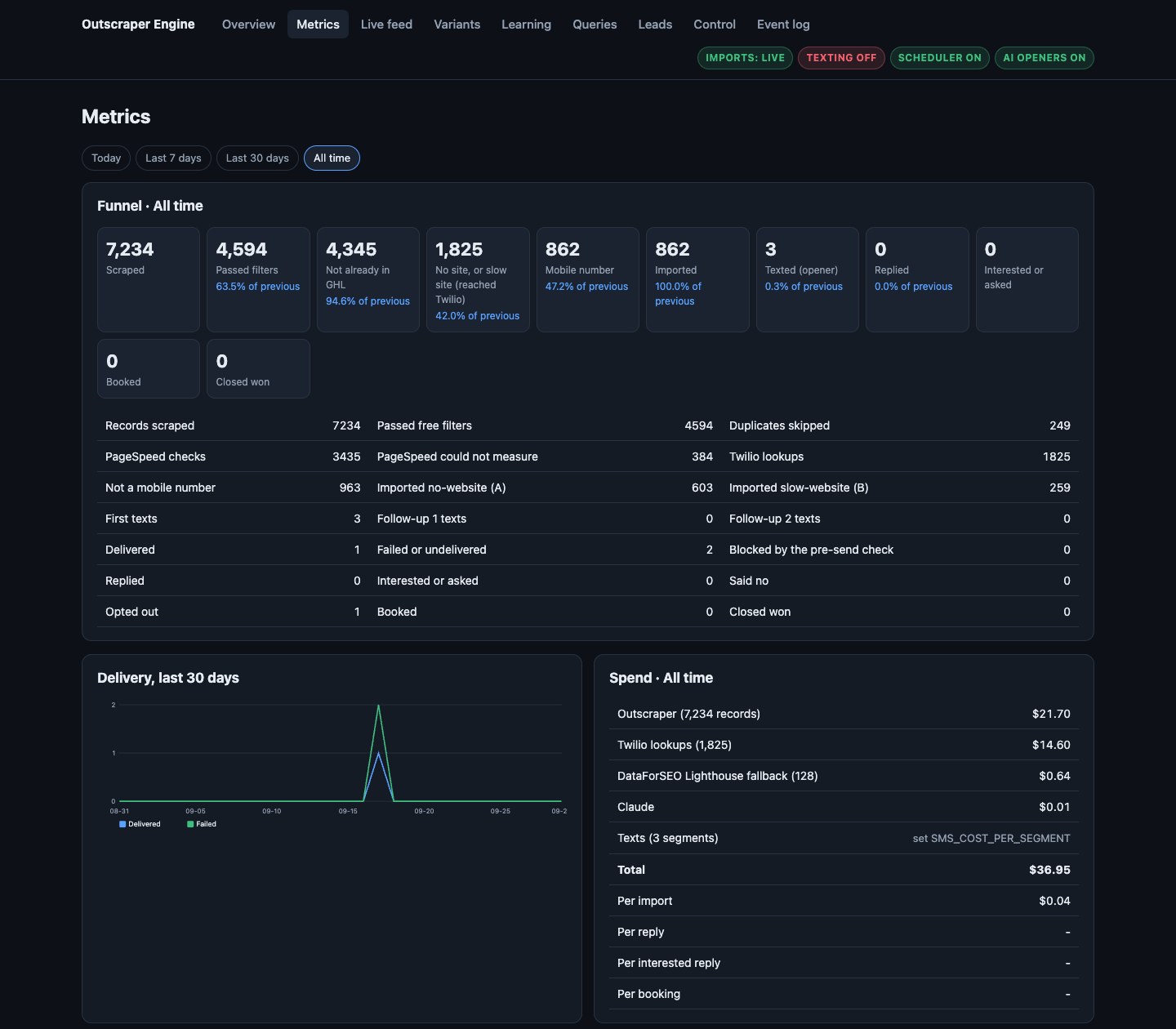
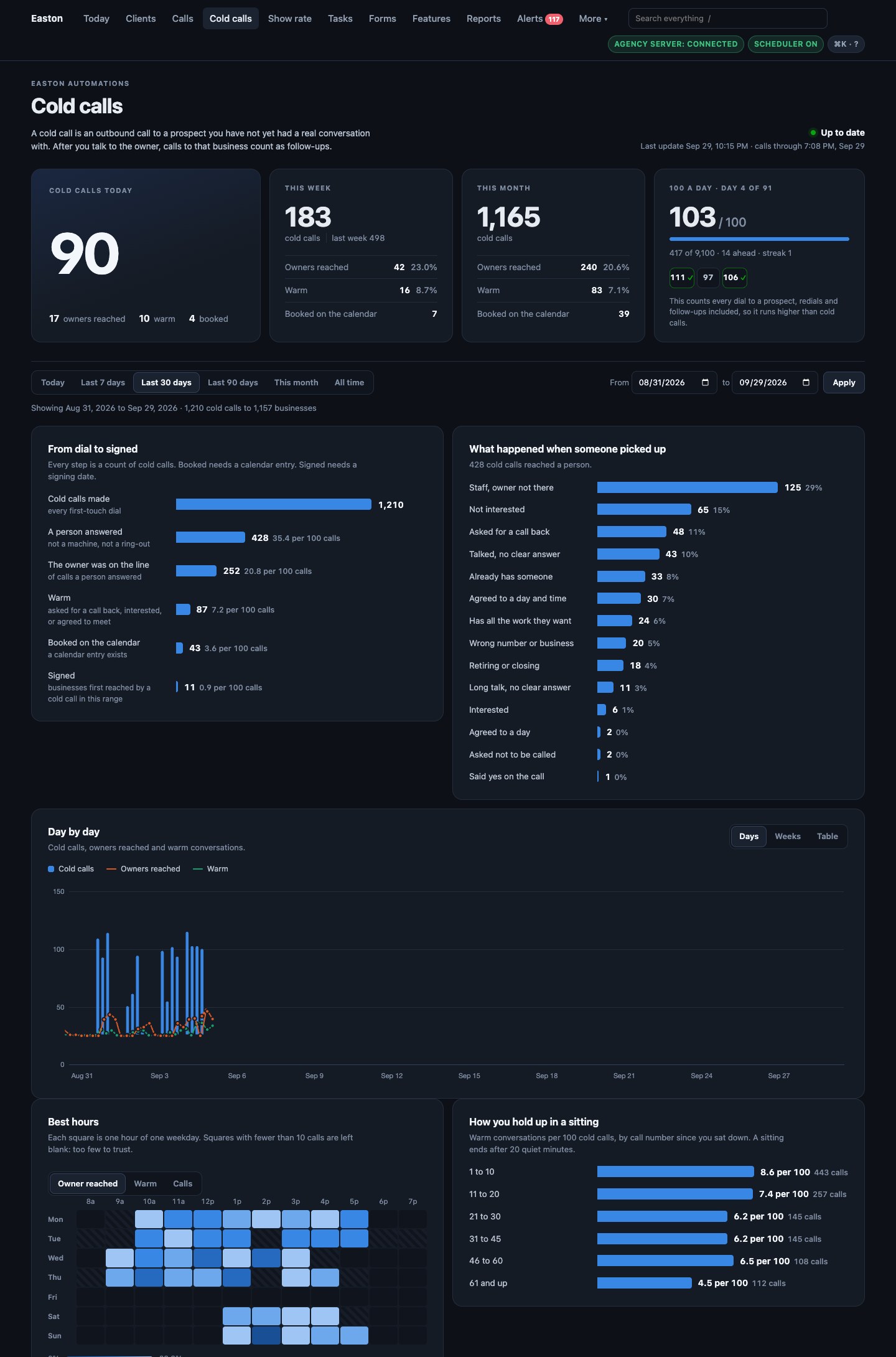
The cold call command center: dials, outcomes, the funnel, the best hours by weekday, results by trade and town

Built for our own sales floor

Cold call command center

Updates every 30 minutes

Every dial from the CRM’s call log, sorted into what happened when someone picked up, the funnel from first dial to signed client, the best hours to call by weekday, and results by kind of business and by town.
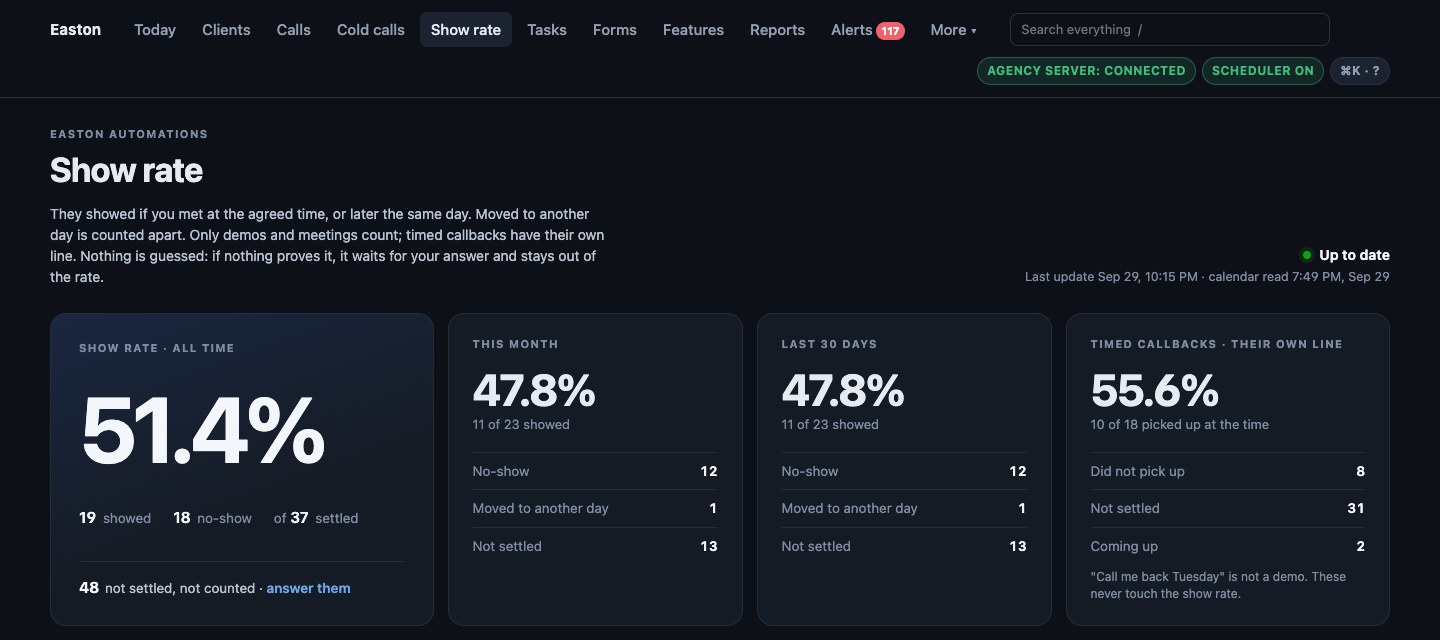
The appointment show-rate page: each appointment judged from the evidence on file

Built for our own calendar

Appointment show rate

Nothing is guessed

Did the meeting happen? The calendar never says. This one judges each appointment from the evidence on file (a call at the agreed time, a signed deal the same day) and asks with one tap when nothing proves it.

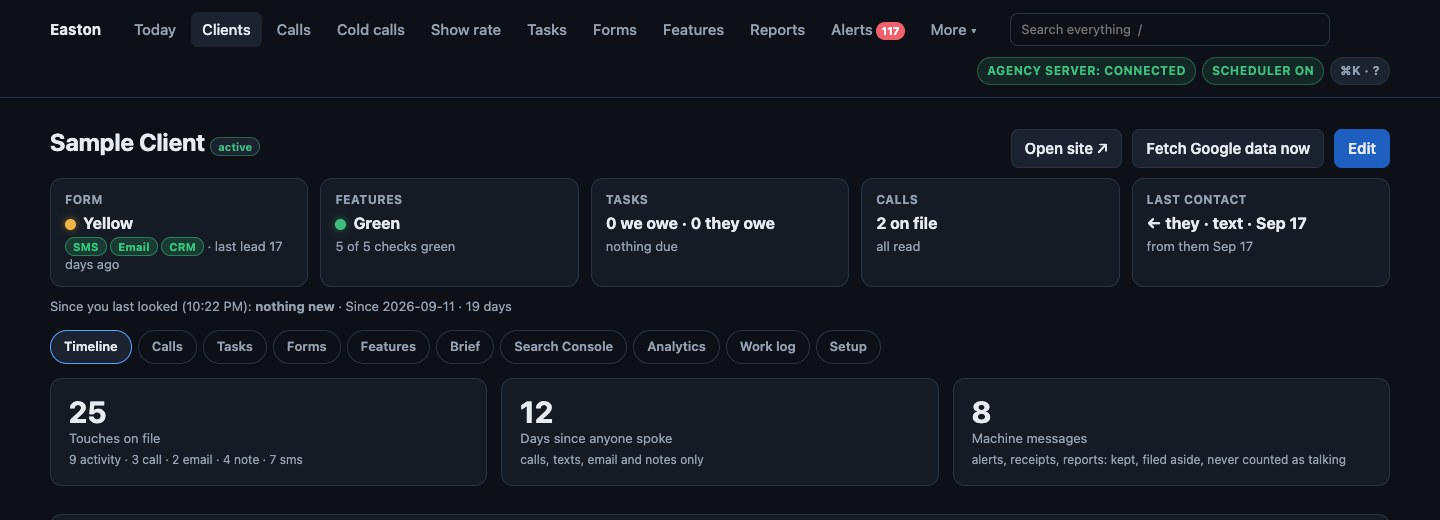
One page per client: the timeline and five health cards

Built for a company with many customers

One page per client

Every call, text and note on one timeline

Every call, text, email and note with that client in one timeline, plus five cards: is their lead form working on all three rails, are the site’s features healthy, who owes whom a task, which calls still need reading, and when anyone last spoke to them.

The outreach engine control room: every step of a text prospecting engine and what each step cost

Built for a text prospecting engine

Outreach engine control room

Every dollar of API spend beside the result it produced

Records found, filters passed, mobile numbers verified, texts sent, delivered, replied, booked, and what each step cost, on one screen.

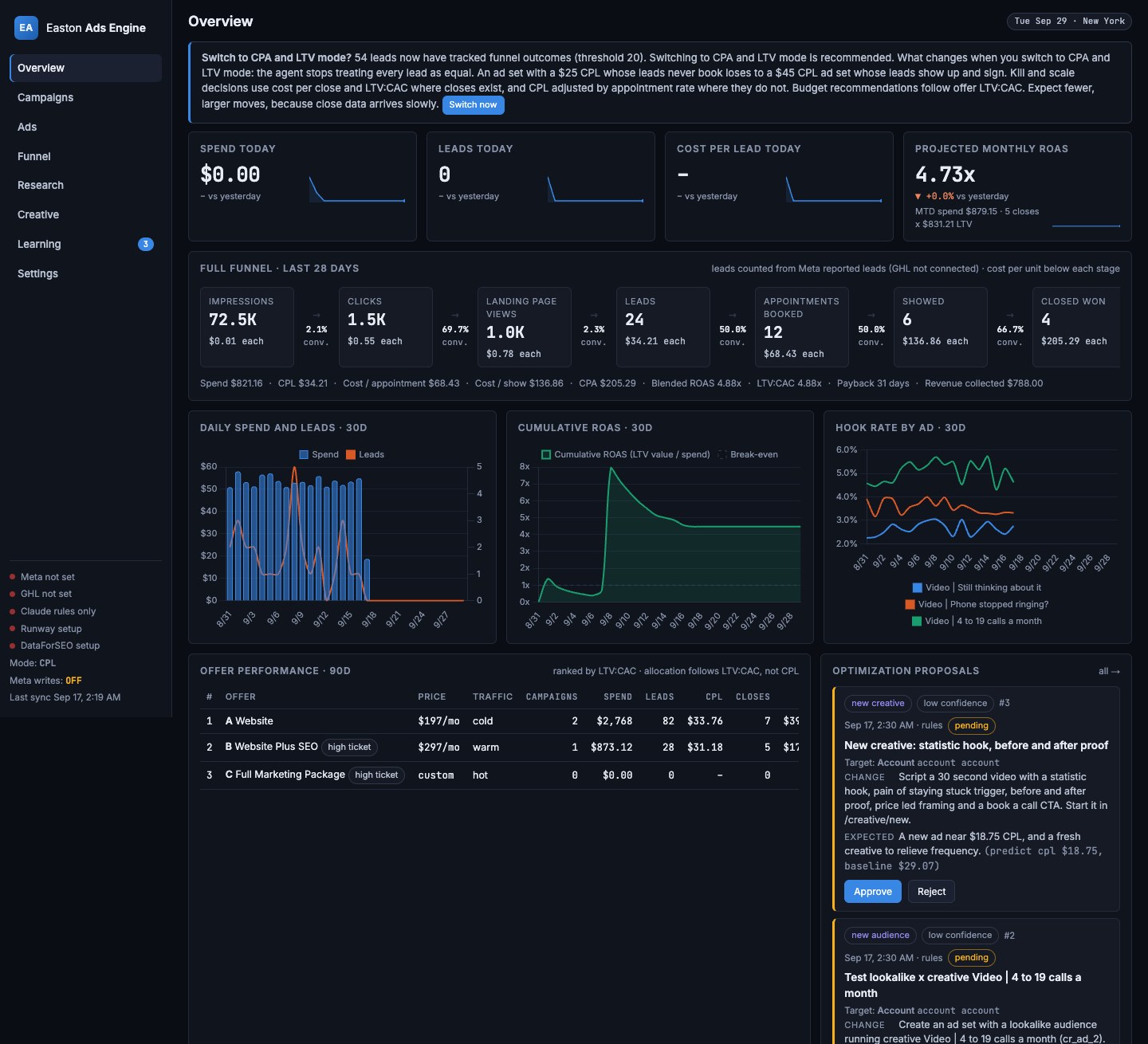
The Meta ads engine on its demo data: campaigns joined to leads, appointments and closed deals

Built for paid ads

Meta ads engine

Ranks offers by lifetime value, not cost per lead

Syncs every campaign, ad set and ad from the Meta Marketing API, joins the spend to the leads, appointments and deals in the CRM. A learning agent proposes changes each morning; nothing changes in Meta until a person approves it. Shown on demo data.

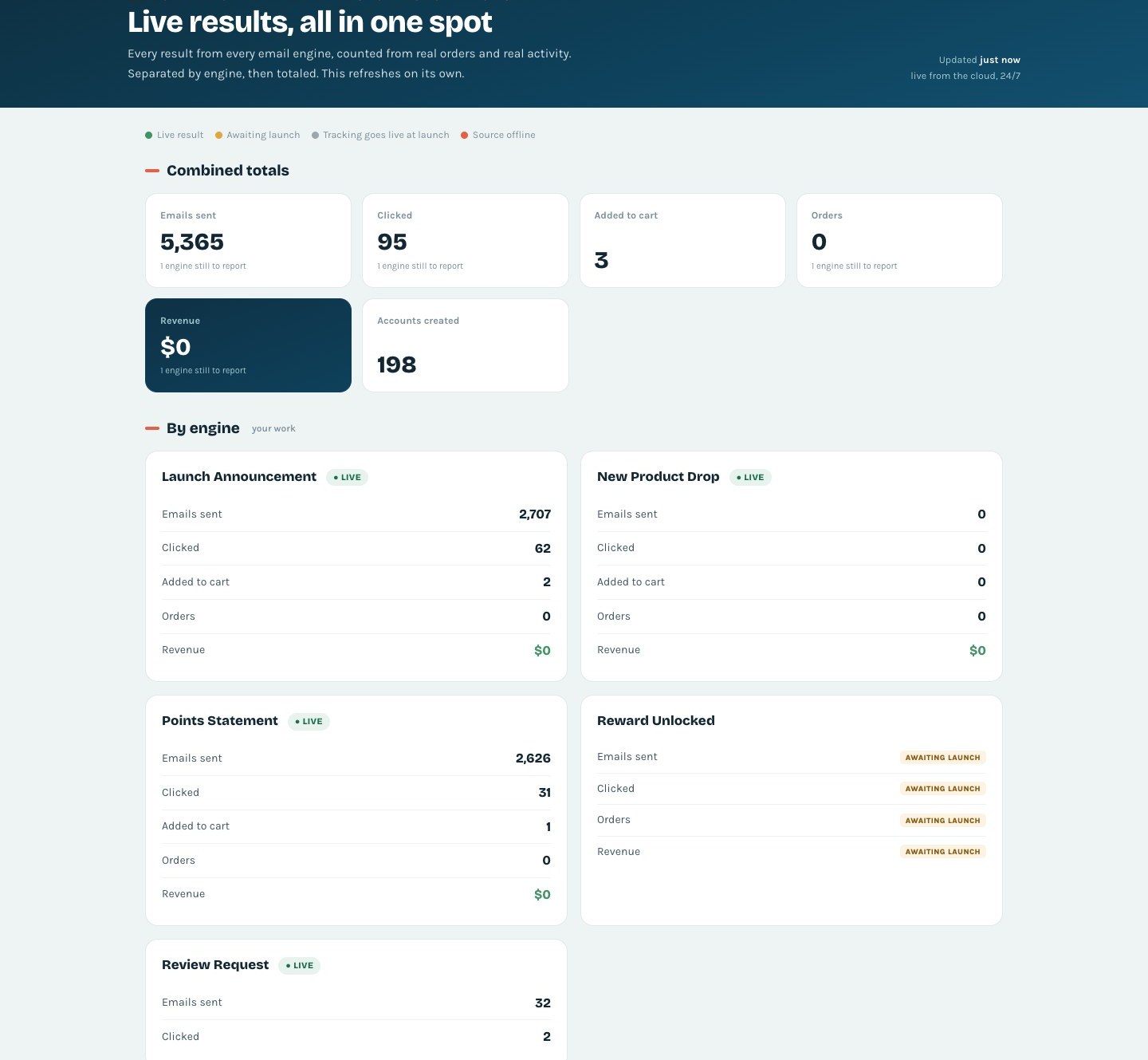
Live results for a farm store: every email engine reporting its sends, clicks, carts and orders

Built for a Maryland farm store

Live results for a farm store

Orders and dollars straight from BigCommerce

Every email engine we run for them (launch announcements, new product drops, points statements, review requests) reports its own sends, clicks, carts and orders, then the page totals them. It always matches their admin. Nothing is estimated.

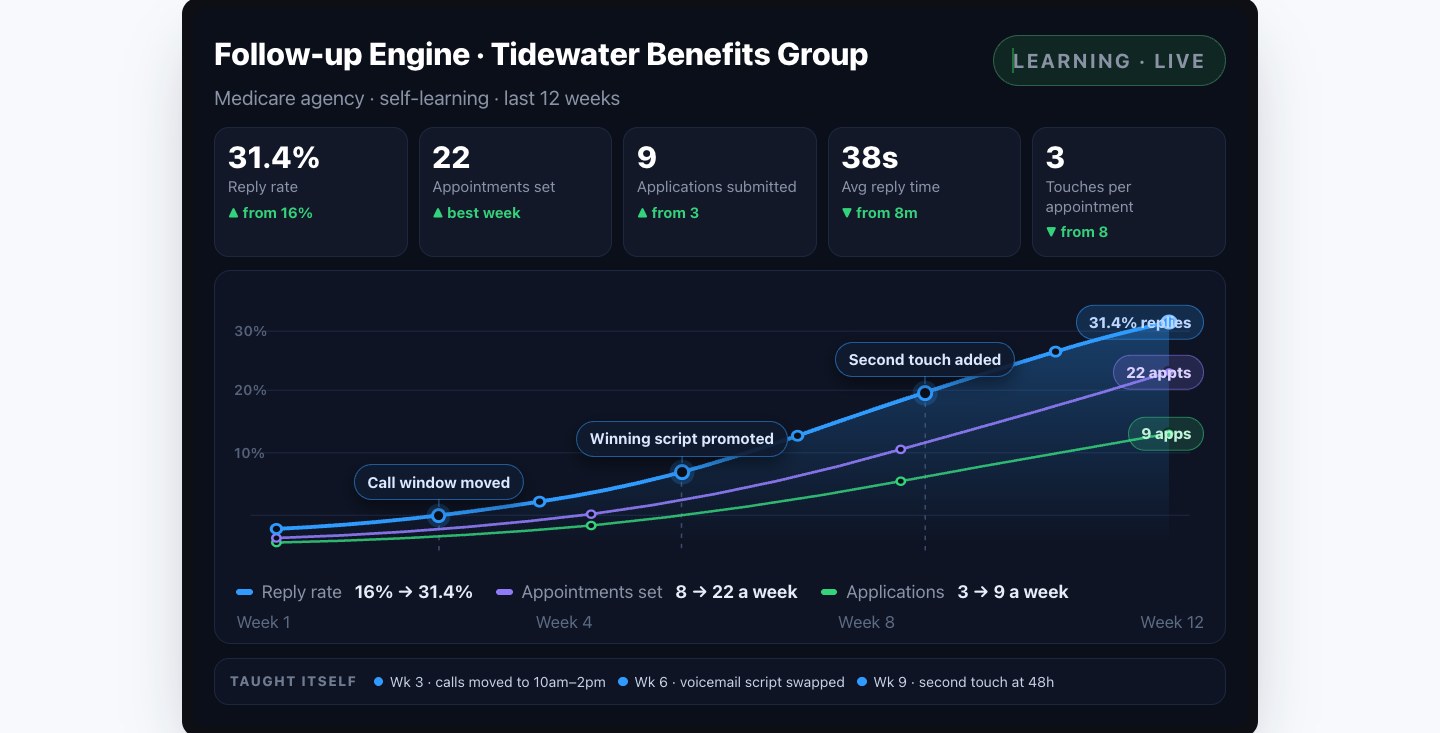
The follow-up engine panel for an insurance agency, with the changes the system made to itself marked on the chart

Built for an insurance agency

Follow-up engine panel

The changes it made to itself, marked on the chart

Reply rate, appointments set, applications submitted, average reply time and touches per appointment over twelve weeks. Shown here with illustrative numbers.

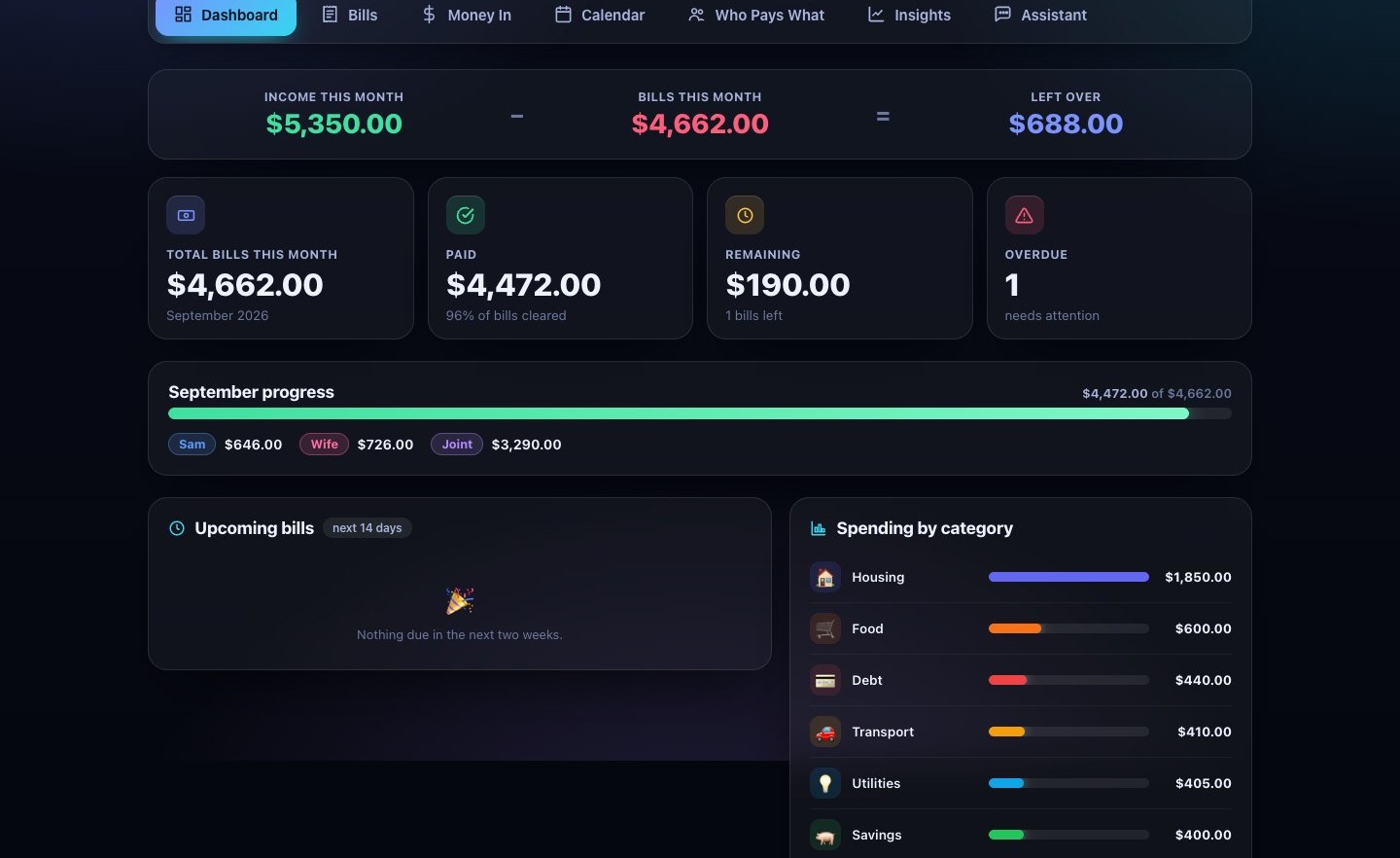
A household finance portal: bills, income, due dates, who pays what

Built for one family

Household finance portal

Bills, income and due dates on one private page

Every account, every bill, a calendar of due dates, who pays what, and monthly insights, on a private page that works from a phone. Shown in the portal’s built-in example mode.

What you actually want

The few things you check every morning.

A dashboard is not useful because it has a hundred charts. It is useful because it answers the handful of questions a busy owner asks, in five seconds, from a phone.

New leads this week
How many people reached out, and where they came from.
Jobs and sales booked
What turned into real, paying work, not just enquiries.
Missed calls recovered
Who you would have lost, and got back.
Google rating and new reviews
Your reputation, trending up or down.
Ad return
What you spent on Facebook or Google, and what it brought back.
What needs a reply
The leads and messages waiting on you right now.

Small web applications, not page-builder widgets.

Each dashboard is a Python or Node service with its own database, hosted on Railway, behind a login. The screens are plain HTML, CSS and JavaScript with the charts drawn by hand, so they load fast on a phone. Data comes in through the official APIs of whatever the business already runs.

  • Python (FastAPI)
  • Node.js
  • SQLite and Postgres
  • Railway hosting
  • GoHighLevel CRM API
  • Search Console and GA4
  • PageSpeed
  • Meta Marketing API
  • BigCommerce orders
  • Twilio texting
  • Gmail and text alerts

Done for you, here, or a heavyweight BI platform.

Both are legitimate. The right one depends on your size. For a Maryland small business with a handful of staff, the platform is overkill: seats, a learning curve, and a consultant’s invoice to get your own numbers on screen.

Easton Automations

  • One screen with the few numbers that matter, not a hundred you ignore.
  • Built and wired up for you. Nothing to configure or learn.
  • A flat small-business price, no per-seat fees, no contract.
  • A developer in Easton who answers when you text.

A heavyweight BI platform

  • Hundreds of charts and settings designed for full-time analysts.
  • You build the reports yourself, or hire a consultant to do it.
  • Per-seat pricing and annual commitments that add up fast.
  • Support through a ticket queue, often time zones away.

How we build it

Set up for you, start to finish.

  1. 1

    We work out your screen.

    A short call to learn what you want to see each morning. We keep it to the numbers that drive decisions.

  2. 2

    We wire up your data.

    Your phone, booking, Google, store and ad accounts, connected through their official APIs, so the dashboard fills with your real, live numbers.

  3. 3

    You just open it.

    One link, saved on your phone. No training, no manuals, no settings to babysit. Want a number added? Text us.

Questions, answered straight.

One sentence or two each. If yours is not here, call or text (443) 205-6809.

What is a custom dashboard for a small business?

One screen that pulls the numbers that run your business (leads, sales, missed calls recovered, Google reviews, ad return) into one view built on your own data. Instead of bouncing between your phone, your booking app, Google and Facebook, you glance at one page on your phone and know how the week is going.

How is this different from a big BI or analytics platform?

Those are built for large companies with a data team: powerful, per-seat pricing, and you build the reports yourself or hire a consultant. This is the opposite: one screen with the few numbers that matter, wired up for you, at a flat small-business price with no seats and no contract.

Do you build it on my own data?

Yes. It connects to the tools you already use (your phone system, booking app, Google listing, ad accounts, your store) and shows your real activity, updated live. Nothing on it is a template with someone else’s numbers.

Do I need any tech skills to use it?

None. It is built and wired up for you, start to finish. You get one link, save it on your phone, and open it whenever you want. Want a number added or changed? Text us.

What does a custom dashboard cost?

A flat small-business price with no per-seat fees and no contract. The pricing page has the plans; a dashboard comes with Growth and can be built on its own. It starts with a free consultation, so you know exactly what you are getting first.

Do you build dashboards for businesses across Maryland or just Easton?

Both. We are in Easton and serve the whole Eastern Shore (St. Michaels, Oxford, Trappe, Cambridge, Denton, Centreville, Chestertown and the rest), and we build for small businesses across Maryland. You work with a local developer, not a call center.

Sinepuxent Bay from Assateague Island, Maryland, in the early morning

See your whole business on one screen.

It starts with a fifteen-minute call and a site you see before you pay. The dashboard comes with Growth, or on its own.

On your phone? Text us at (443) 205-6809.

Build my free previewCall